Sonos intercom with Home Assistant
Sonos speakers have no intercom of their own, and Apple's Intercom works only on HomePods. RoomCall adds one through Home Assistant: hold a button on your dashboard, talk, and your voice plays on the Sonos speakers in the room you picked, with a short chime first.
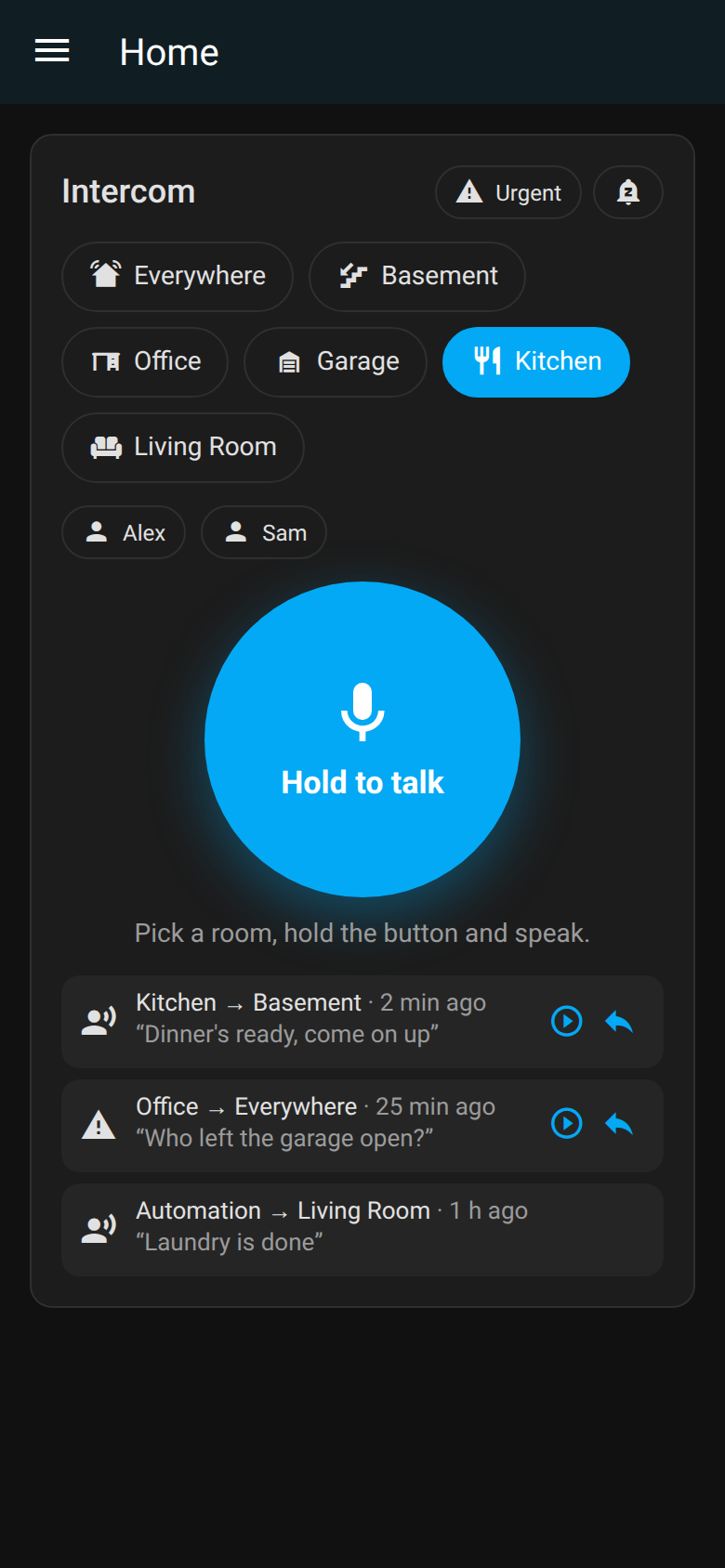
How it sounds on Sonos
- Over the music, not instead of it. Where a speaker reports announcement support, RoomCall sends the call as an announcement, so Sonos lowers the music instead of stopping it.
- Live. By default your voice streams while you hold the button; the speaker's startup and buffering decide when playback actually begins.
- Whole-house calls. Several Sonos speakers in one household can drop an announcement that arrives at the same moment as another, so RoomCall starts each speaker 250 ms after the previous one and retries a speaker that fails once. Both are under Configure → Delivery.
- A fixed call volume if you want one, under Configure → Announcement volume.
Set it up in three steps
- Install RoomCall from the Marketplace, or HACS before Home Assistant 2026.11, and restart if asked (install options).
- Add the RoomCall integration and pick your Sonos media players — one entity per speaker, so a call doesn't play twice (details).
- Add the RoomCall card to a dashboard, open it in the Home Assistant app (or over HTTPS), pick a room and hold to talk (card options).
Rooms are your Home Assistant areas, so put each Sonos speaker in its area first.
Limits
- Sonos microphones stay with Sonos. They can't be used to answer back. Reply from your phone's notification, the card, or a small Assist satellite with hands-free talk-back.
- Speakers fetch each clip from Home Assistant. Its internal URL must be reachable from
the speakers and should stay on plain
http://; Sonos can't trust a home-made certificate (troubleshooting). - "Accepted" is not "heard". The card reports that each speaker accepted the request, not that someone heard it. Use Settings → Setup and sound tests on the card to confirm each room once.
- The microphone needs HTTPS or the Home Assistant app; browsers block it on plain
http://.
Full Home Assistant guide → Home Assistant intercom overview